4-bit binary adder on a breadboard (74LS283)
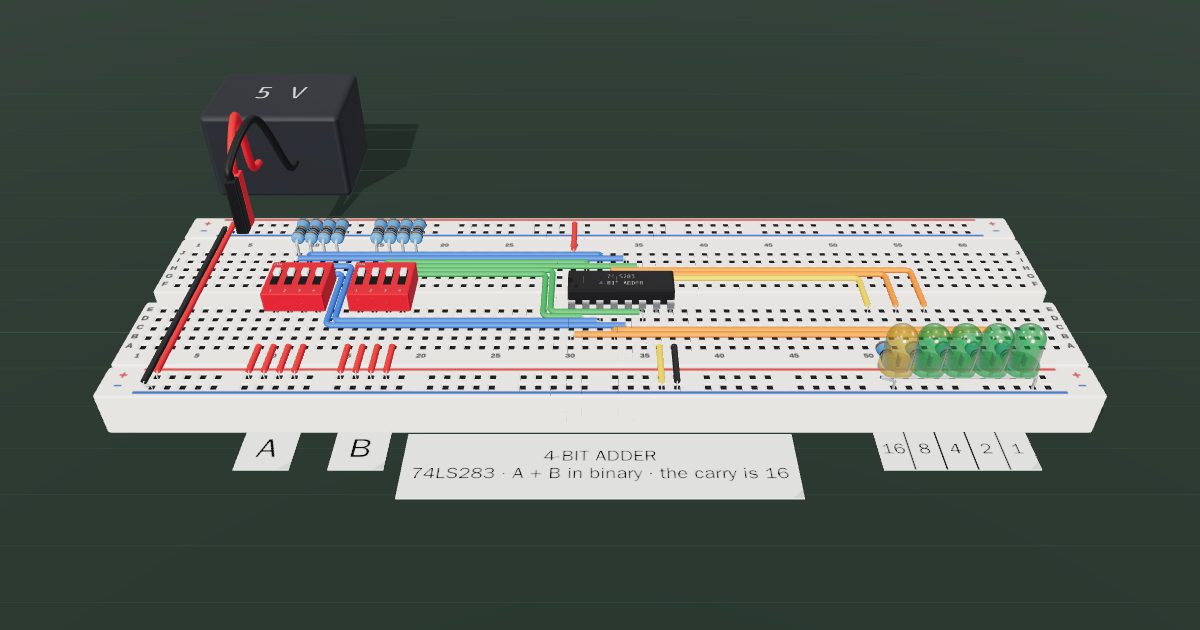
Two 4-bit numbers set on DIP switches, added by one 74LS283, the sum shown in binary on five LEDs. The fifth LED is the carry: it counts 16.
It opens in your browser without an account, read-only and ready to run.
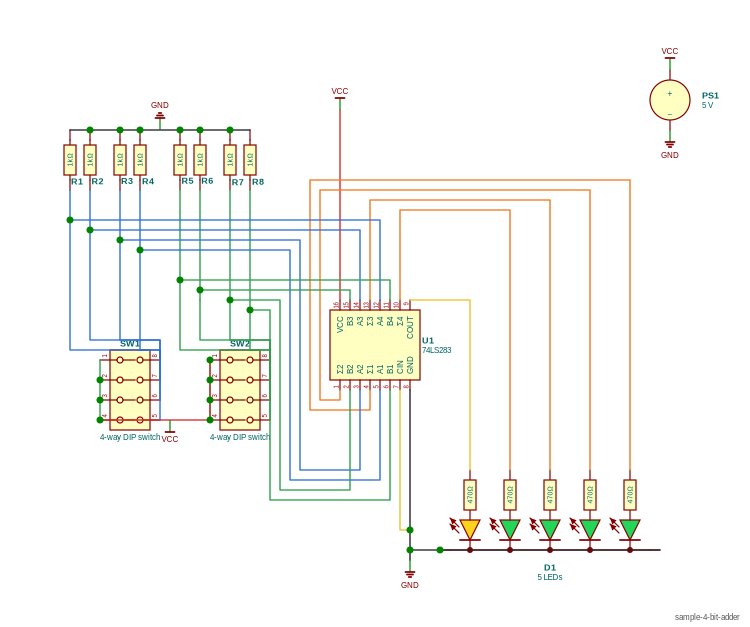
Every example opens as a schematic too, drawn in KiCad’s style and kept in step with the breadboard: a part added on one shows on the other.
How it works
Each DIP switch is one number: switch 1 is the most significant bit, and a switch that is on is a 1. Each bit line has a 1 kΩ pull-down resistor, so a switch that is off reads 0.
The 74LS283 is a 4-bit full adder: it adds A and B and gives a 4-bit sum and a carry out. Four green LEDs show the sum (8, 4, 2, 1), the yellow one the carry (16).
Parts
- 1 × 74LS283 4-bit full adder
- 2 × 4-position DIP switches (A and B)
- 8 × 1 kΩ pull-down resistors
- 5 × LEDs (4 green, 1 yellow), each through 470 Ω
- 5 V supply
Run it in BBRouter
- Open the example: it opens in the editor, no account needed.
- Click Power in the toolbar to switch it on.
- Flip the switches of A and B: the LEDs show A + B in binary right away.
- Click Schematic in the toolbar to see it as a schematic, and again to go back to the breadboard.
- To change it, sign in and click Fork: the copy is yours to edit.
More example circuits
Switch it on.
Build your own circuit on breadboards in 3D, simulated as wired. Free to start.